
HRLocker supports Northern Ireland fair employment monitoring across both recruitment and employee records. Applicant data is collected in HRLocker Recruit (HireHive) and all reporting is done in HRLocker.
Who needs this
Under Northern Ireland fair employment legislation, registered employers have a legal duty to monitor the composition of their workforce and of those applying to fill vacancies. The criteria are based on the size of the workforce, and generally employers with 11 or more employees are subject to monitoring requirements.
Registered employers are also required to make an annual monitoring return to the Equality Commission for Northern Ireland (ECNI). See the ECNI step by step guide for information on monitoring your workforce and applicants in line with fair employment regulations.
Before you start
Diversity and Equality Monitoring is not switched on by default. Contact HRLocker Support to have it enabled for your company. Once Support has enabled it, complete the setup steps below in both products.
Part 1: Set up in HRLocker Recruit (HireHive)
Turn on NI Diversity:
- Go to Settings, then NI Diversity (under Compliance).
- Switch Enable Northern Ireland Fair Employment Monitoring on and click Update.
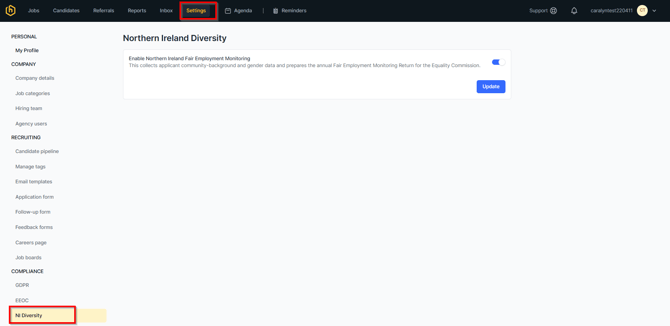
This toggle must be on for monitoring forms to issue to applicants. It collects applicant community background and gender data and prepares the annual Fair Employment Monitoring Return for the Equality Commission.
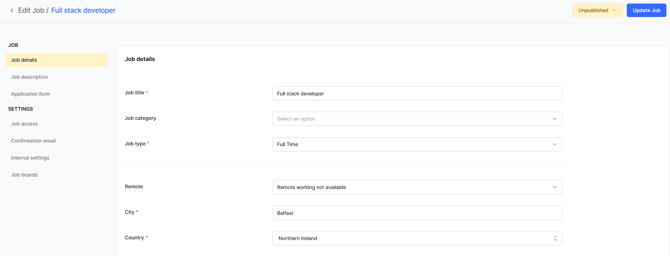
Set up the job. For applicants to be sent a monitoring form, the job must:
- have Country set to Northern Ireland in Job details, and
- be published, so that applicants can apply.
What the applicant sees: any candidate who applies for a Northern Ireland job is sent a confidential Monitoring Questionnaire after applying. Completing it is at the applicant's discretion. The form covers community background, age, sex, marital or civil partnership status, racial group, dependents and caring responsibilities, and disability.
Each form carries a unique identification number. Only the Equality Monitoring Officer in HRLocker can match a form to an applicant's name.
Note: there is no Monitoring Officer role and no diversity reporting inside HireHive. All diversity data and reports are accessed in HRLocker.
Part 2: Set up in HRLocker
Assign the Equality Monitoring Officer:
- Go to the Directory and open the administrator's record.
- On the Summary tab, tick Is Equality Monitoring Officer and save.
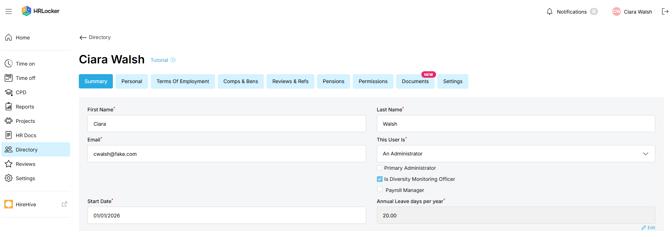
- The user must be an Administrator.
- There can only be one Equality Monitoring Officer at a time. An admin can assign another admin to the role.
- If your company has only one admin, contact HRLocker Support to have the role assigned.
- Only the Equality Monitoring Officer can see the Diversity Monitoring tab and the diversity reports.
Enable Diversity Monitoring for each office:
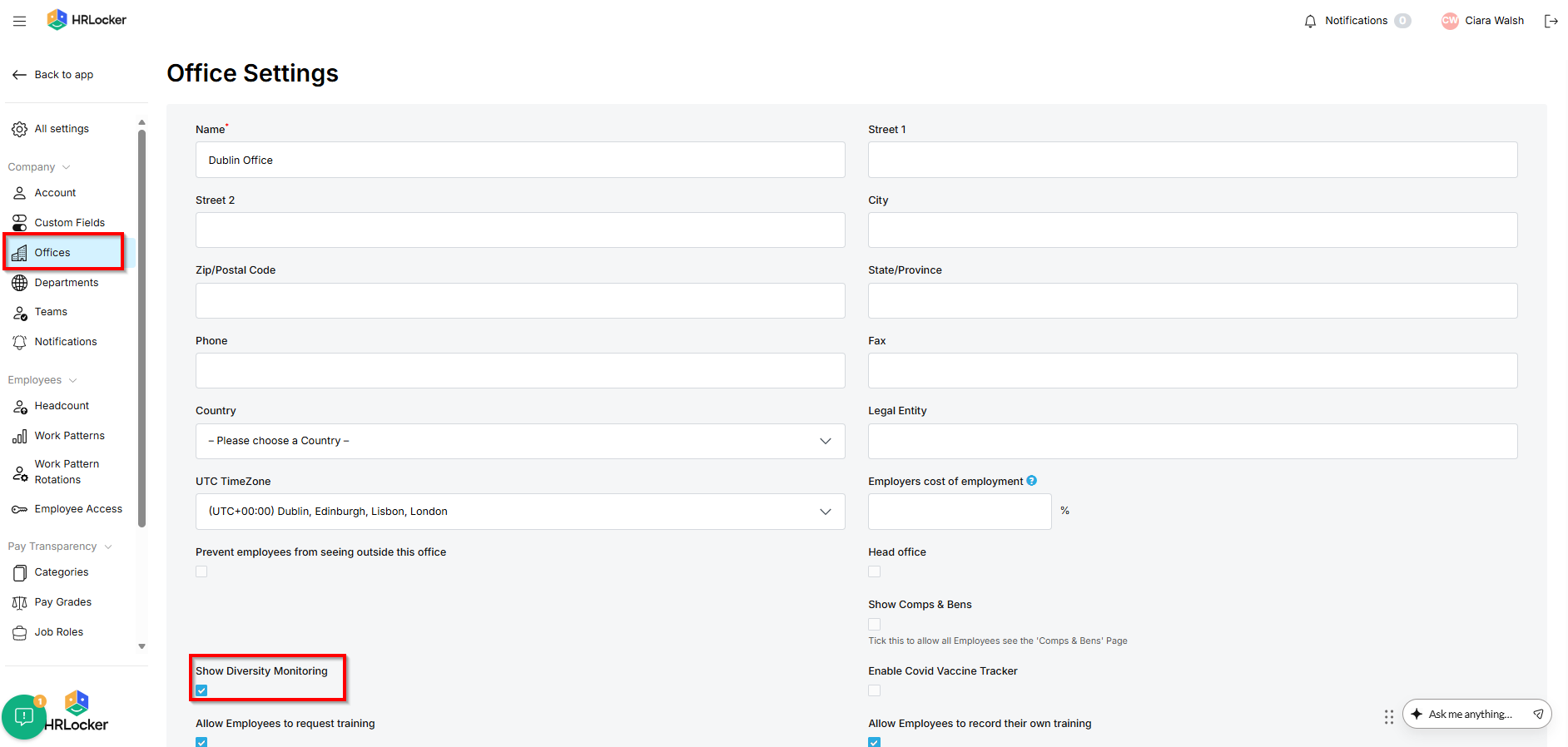
- Go to Settings, then Offices.
- Click Edit beside the office.
- Tick Show Diversity Monitoring and save.
- Do this for every office that hires from Northern Ireland.
The Diversity Monitoring tab
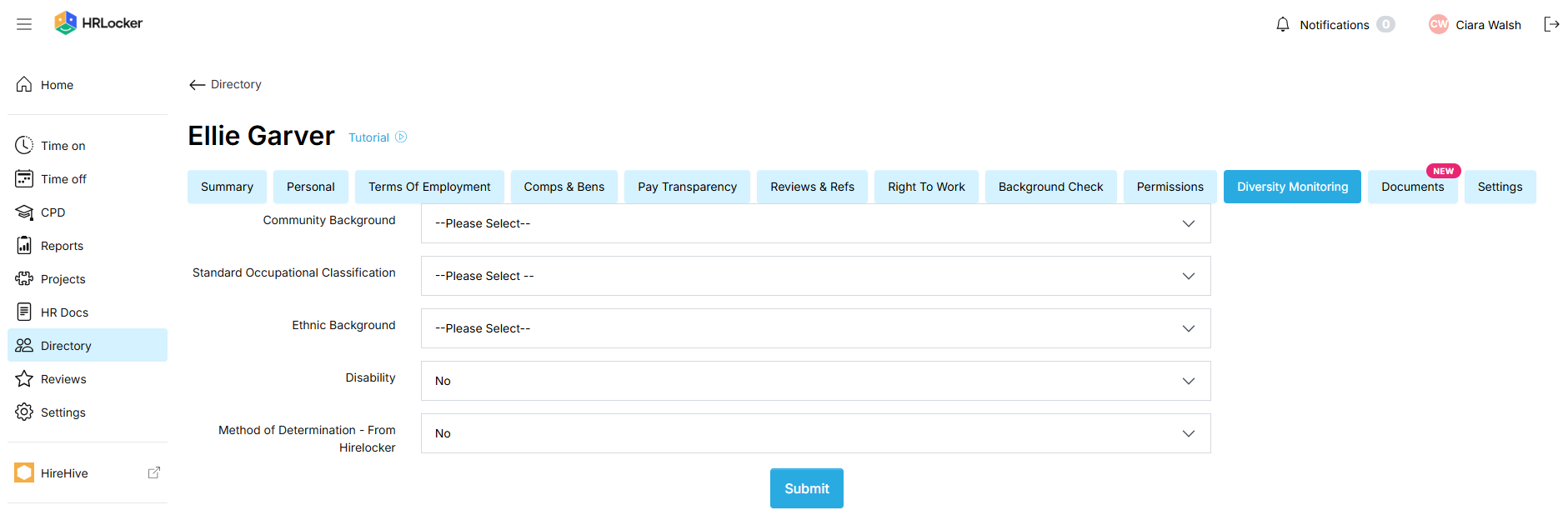
Once enabled, the Equality Monitoring Officer will see a Diversity Monitoring tab on the employee record in the Directory. No other user can see this tab. The fields on the tab are:
- Community Background
- Standard Occupational Classification
- Ethnic Background
- Disability
- Method of Determination
Diversity reports
All diversity reporting is in HRLocker and is visible only to the Equality Monitoring Officer. Go to Reports, then Employees, then Downloads, set the Start date and End date, then choose Download Applicant Diversity Report or Download Employee Diversity Report.
The Applicant Diversity Report contains: first name, last name, monitoring form status (date sent / date received), community background, sex, job title, application date and job status.
The Employee Diversity Report contains: employee name, work reference number, job title, SOC group, full time or part time status, sex, community background, ethnic origin, disability and type, promotion status, and contracted hours.
Troubleshooting
The Diversity Monitoring tab is not showing on employee records:
- Confirm you are logged in as the user assigned as Equality Monitoring Officer. No other user can see the tab.
- Check Settings, then Offices, then Edit, and confirm Show Diversity Monitoring is ticked for that office.
- Confirm HRLocker Support has enabled Diversity and Equality Monitoring for your company.
- Check that Enable Northern Ireland Fair Employment Monitoring is on in HireHive under Settings, then NI Diversity.
- Check the job has Country set to Northern Ireland.
- Check the job is published.
Applicants are not receiving the monitoring form:
For further help, contact HRLocker Support.