
Your profile in the Directory holds your personal information. Keeping it current means HR and your manager always have the right details.
Open your profile
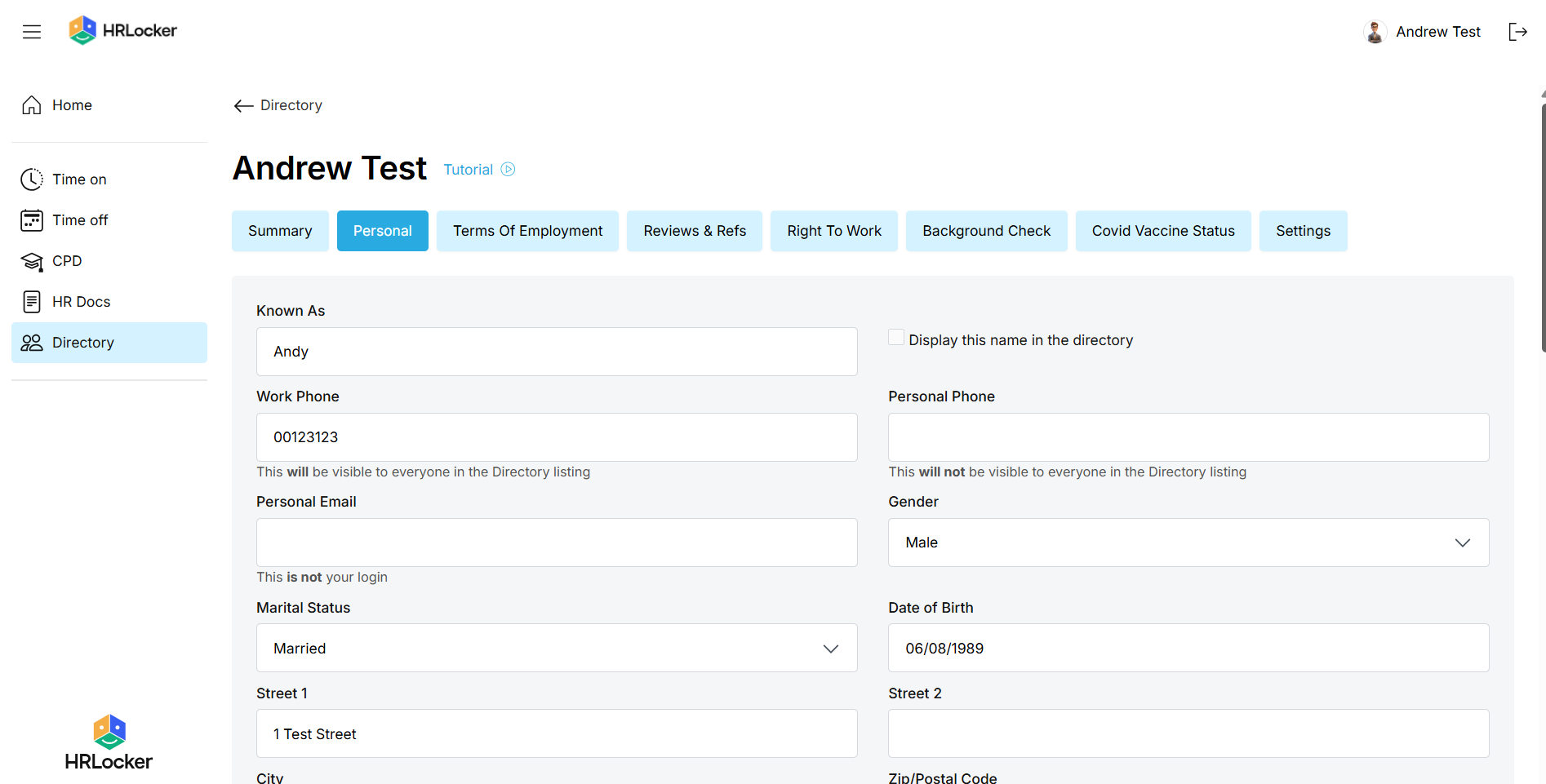
- Go to the Directory and click your name.
- In the Personal tab, edit your contact details, home address and emergency contacts.
- Add a photo with Add New Photo.
- Click Submit. Changes take effect immediately.
Update your personal details Update your bank and tax details
- Also in the Personal tab: your bank account details (IBAN, BIC, sort code and account number) and your tax number (PPS number or National Insurance number).
- Click Submit to save.
- For security, your payroll manager and your manager are notified automatically whenever bank details change.
What else you can see
- Summary tab: who you report to.
- Settings tab: your work pattern, your Time On and Time Off approvers and your clock-in PIN.
What else you can see Right to work and background check documents
- If your company uses these features, you may be asked to provide documents such as a passport or work permit.