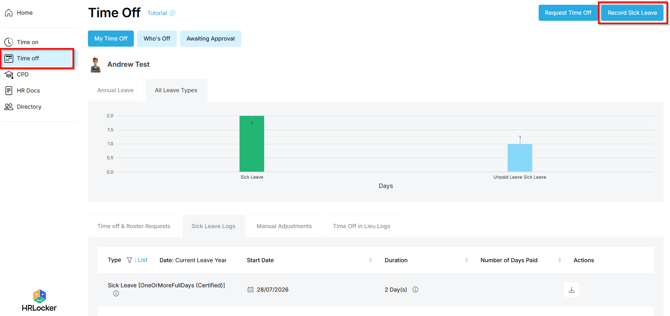
You record your own sick leave in HRLocker. It doesn't need approval, so it takes less than a minute.
Record your sick leave
- Open Time Off.
- Click Record Sick Leave.
- Choose the start and end date and time. Sick leave can be anything from a few hours to several days.
- If you have a medical certificate, tick the Certificate box and upload it. You can attach more than one.
- Add a note if there's anything useful to pass on. This is optional.
- Save. Your sick leave is recorded straight away.
Your sick leave log
- Everything you record appears in the Sick Leave Log, with dates, durations and any certificates or notes.